
Debugging a Claude Code Freeze
Recently, several users reported that Claude Code would freeze when calling models through ZenMux — after sending a prompt, nothing appeared on screen, and the only option was to force quit. As a model aggregation platform, we needed to figure out whether this was a ZenMux issue or something else entirely.
After investigation, the problem turned out to be neither ZenMux nor the model. It was hiding in Claude Code's own timeout mechanism.
Symptoms
We obtained a prompt that reliably reproduced the issue:
Create world_data.py containing all of the following hardcoded data:

1. A complete information dictionary for every country in the world:
   Country name (in both Chinese and English), ISO code, capital city,
   population, area, GDP, currency, language(s), timezone(s),
   phone country code, bordering countries, major cities (top 10)
2. Information for every province / state within each country
3. Latitude and longitude coordinates for the world's top 1,000 largest cities
4. All data written as Python dictionary / list constants

All content must be written into a single file: world_data.py
After sending this prompt in Claude Code, the interface just kept spinning with no output. After waiting over ten minutes with no progress, the only option was to force quit.
Investigation
Step 1: Capture HTTP traffic with mitmproxy
First, we needed to confirm whether ZenMux was responding normally. We started mitmproxy in reverse mode on local port 8000, forwarding requests to ZenMux:
mitmproxy --mode reverse:https://zenmux.ai --listen-port 8000We also set Claude Code's ANTHROPIC_BASE_URL to http://localhost:8000/api/anthropic so all API requests would pass through mitmproxy.
After sending the same prompt, mitmproxy showed the request went out and ZenMux returned 200 OK with Content-Type text/event-stream (SSE streaming response). However, the response body showed [content missing] — mitmproxy failed to capture the actual response content.
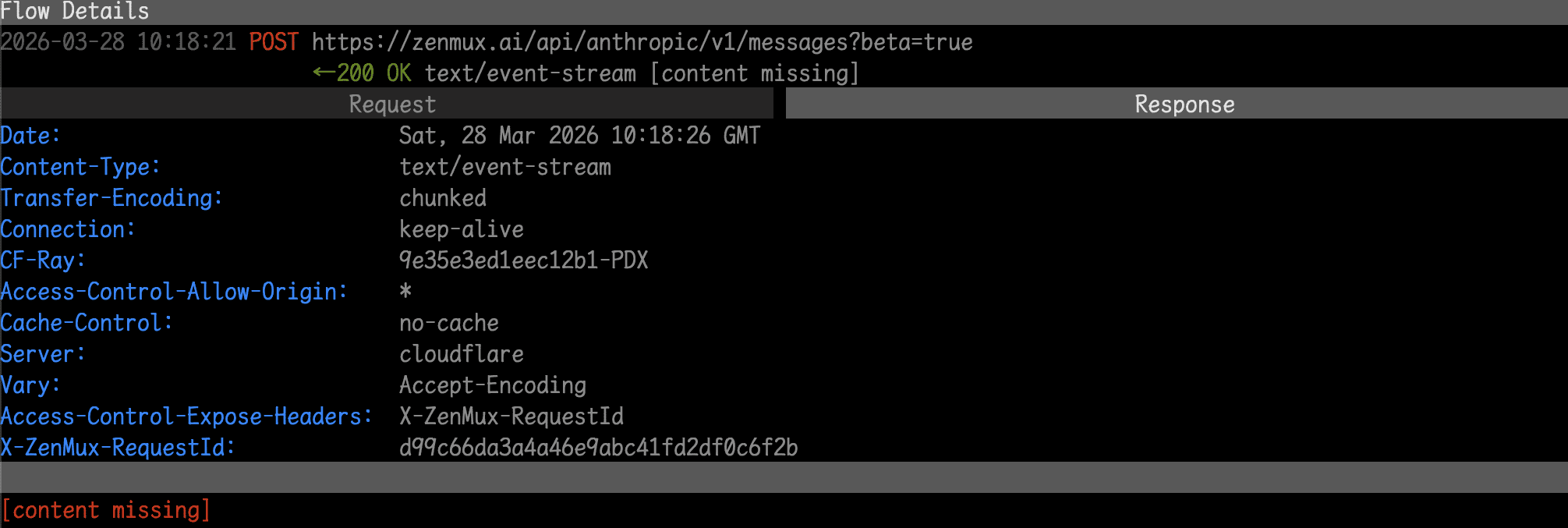
The request list in mitmproxy made the retry behavior even clearer: the first request at 10:18:21 had content missing for the response body. About 5 minutes later at 10:23:17, Claude Code sent the exact same request, again with content missing.

ZenMux returned 200, meaning the request itself was fine and our service processed it normally. But mitmproxy couldn't capture the response content, which meant the connection was broken during response transmission.
Step 2: Check ZenMux server logs
We checked our own platform logs and found a few key entries, all timestamped at 2026-03-28 18:23:17:
onAbort received, abort stream
Stream aborted when iterate
ZenMux had indeed received the request, successfully obtained the response from the upstream model, and started streaming it back to the client. But during transmission, it received an abort signal from the client and terminated the stream.
At this point, we could rule out ZenMux — our service responded normally. The client was the one that disconnected.
Step 3: Inspect the TCP layer with tcpdump
The HTTP layer didn't show the full picture, so we went one level deeper. We used tcpdump to capture TCP packets between Claude Code and mitmproxy:
sudo tcpdump -i any 'tcp port 8000'
Analyzing the captured packets revealed the smoking gun: Claude Code sent a TCP RST (connection reset) to mitmproxy.
This meant Claude Code itself actively severed the connection — not a network failure or ZenMux timeout. Combined with the 5-minute retry interval, we could conclude: Claude Code has an internal connection timeout that sends a RST and retries when triggered.
Step 4: Examine the discarded response
In ZenMux's server logs, we found the response that never made it to the client. It was a tool call invoking the Write tool, with the entire world_data.py file content as its argument.
This file contained detailed information for every country in the world, province/state data for each country, and latitude/longitude coordinates for the world's top 1,000 cities — all hardcoded as Python dictionaries. The content was massive, potentially hundreds of thousands of tokens.
Root Cause
Putting it all together:
- After receiving the prompt, the model decided to call the
Writetool to create the entire file in one go - The model needed to construct the
Writetool's argument first — the full content ofworld_data.py - The file content was enormous, and generating these arguments took a long time with no output returned until generation was complete
- Claude Code has an internal timeout of roughly 5 minutes — if no data is received for that long, it assumes the connection is broken
- When the timeout fired, Claude Code sent a TCP RST, severed the connection, and resent the same request
- The model again decided to generate the same massive file, timed out again, creating an infinite loop
Root cause: when the model needs to construct extremely large tool call arguments, the generation time exceeds Claude Code's built-in timeout threshold, causing an infinite retry loop. This issue has nothing to do with ZenMux — it is Claude Code's own client-side behavior.
Additional Information
This issue has been reported to the Claude Code team: anthropics/claude-code#39718